Mark a message as read/unread
There are two ways:
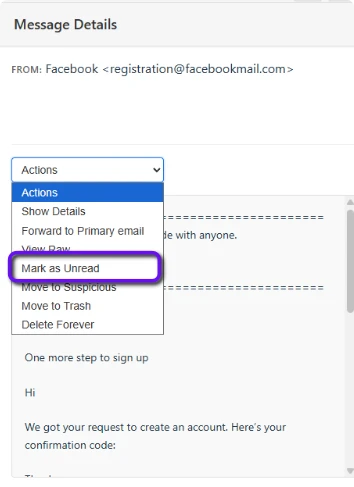
Using the actions dropdown
- In the selected message panel, above the message body press the 'actions' dropdown
- Press 'Mark as Read/Unread'
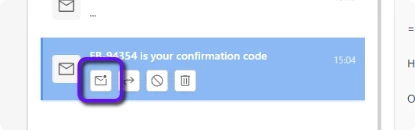
Using the quick action buttons (not available on mobile)
- Select an email in the message list
- Press the small button with the envelope icon